
Use the Coaching Dashboard to get a bird's eye view of coaching at your school.
If you are a district or network user, your dashboard will display a coaching rollup across all schools. You can click any school row to drill down to that school's data. 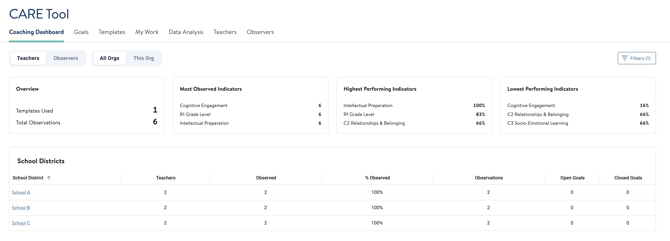
If you're a school leader or coach, you'll see a view of all your teachers and some quick data snapshots. 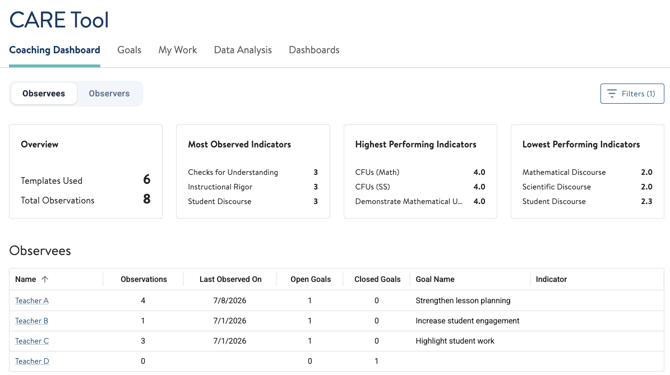
Click a teacher's name to open their individual record. Active goals will appear at the top, with goal names and status visible without opening each goal.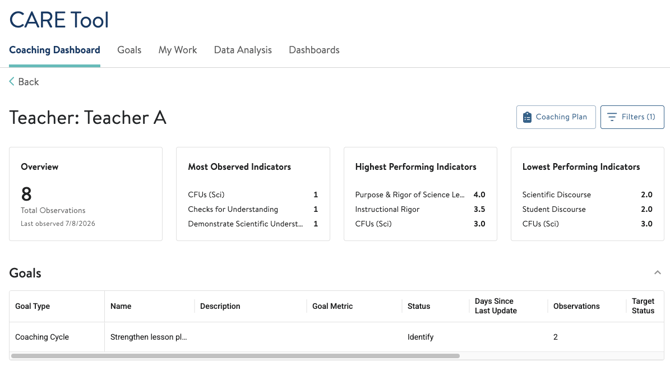
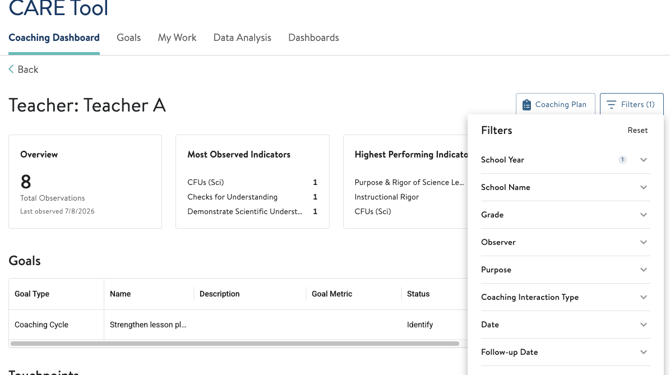
You can use the filters to narrow down your view of the coaching dashboard, either at the school level or teacher level.
Coaching Plan
We've added a new feature called the Coaching Plan, which acts as a live document for coaches to use to keep notes or action plan with teachers they are coaching, This space serves similarly to a Google Doc, for teachers and coaches to view and edit. 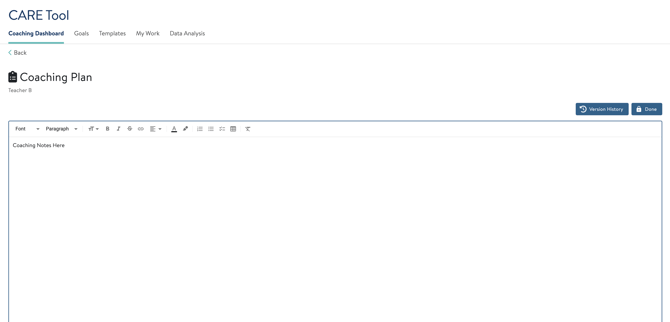
If you need any help with the Coaching Dashboard, reach out to our support team at support@attunedpartners.com or chat with us in the tool for help.