
You’ve got your initiatives into the system and perhaps even assigned leads and dates. (If you have yet to do this, go back to our help article on setting up initiatives here!)
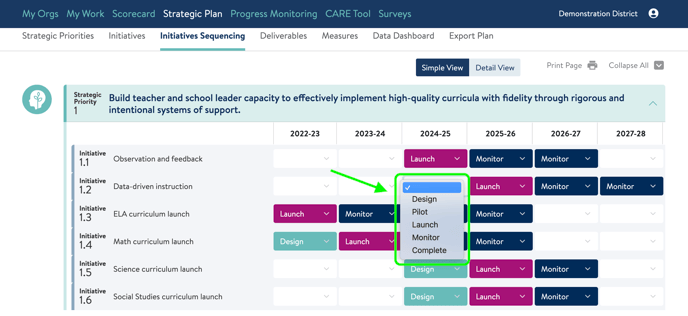
The Initiative Sequencing tab is next. And it’s simple! You will use it to indicate what status each initiative is in during each academic year. The options are:
- Blank, meaning not active
- Design
- Pilot
- Launch
- Monitor
- Complete
Click into the grid to use the drop down lists to set the correct status.
In Detail View, you can also add notes for each year as shown below.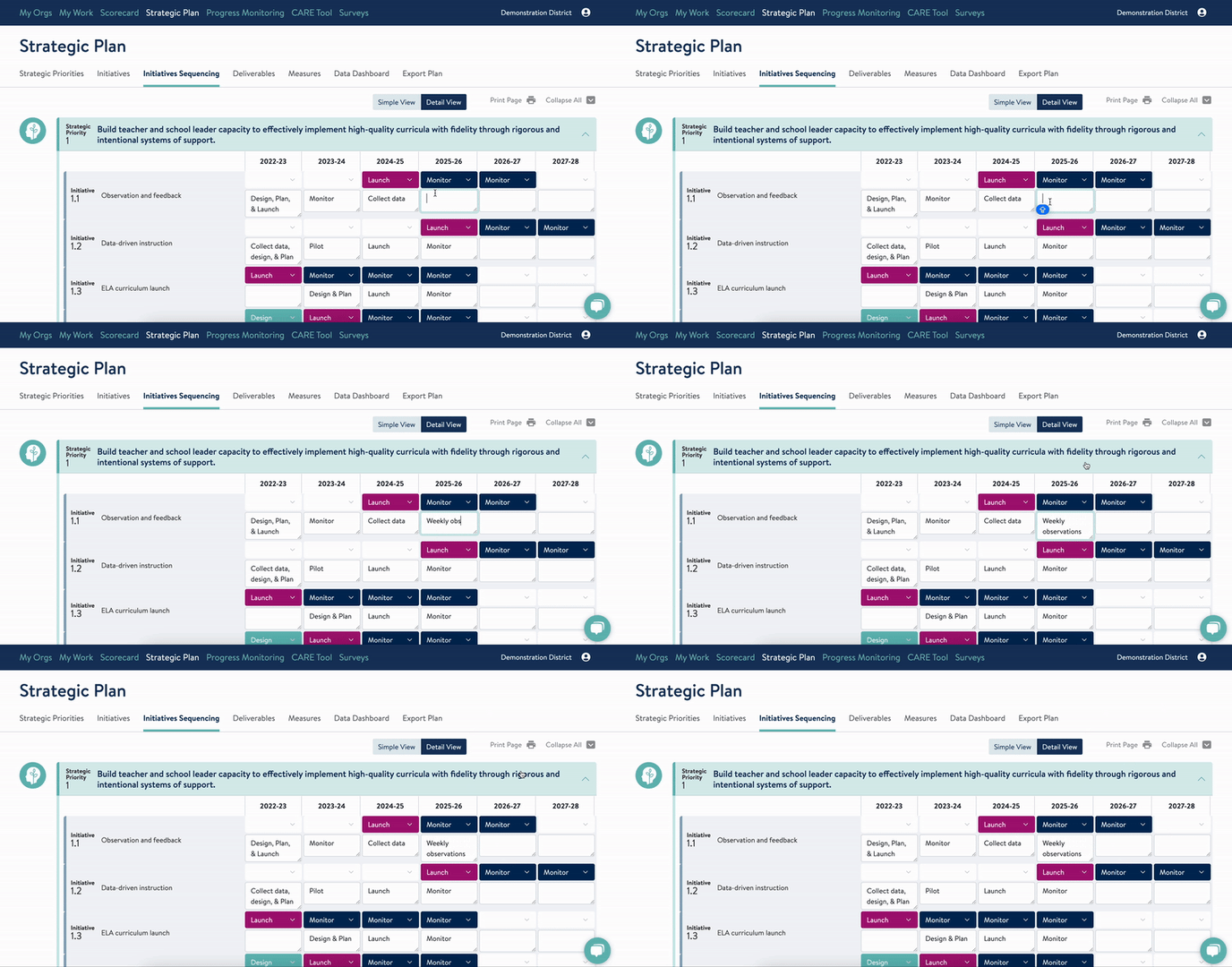
To learn about the Deliverables tab next, click here.
If you need support with your initiative sequencing, send us a chat or an email at support@attunedpartners.com.