
🎉 Exciting news! 🎉 We have made some great updates to our Strategic Planning Features. Please continue to read below for more details on these enhancements.
February 2026
Introducing: Deliverable Notes
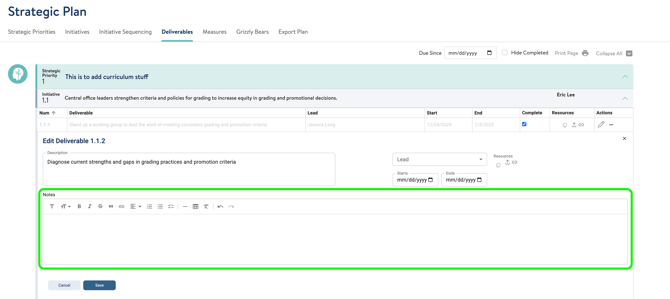
For users who have the ability to edit deliverables, we have added a Notes field in each deliverable. This space can be used for you to jot down any additional details or context related to deliverables in the Strategic Plan.
To add notes to a deliverable, users can click the pencil icon to edit the deliverable. The new notes field will appear below the description space.
Once saved, the deliverable will show a notes icon next to the description. Hovering over the icon, you will see the indicator that there are notes associated with the deliverable.
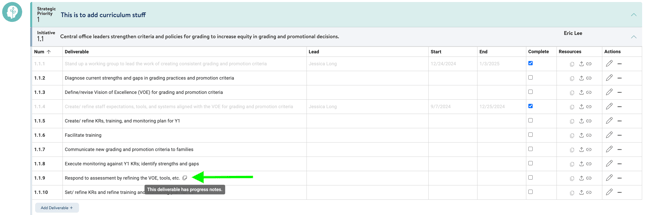
Users who are only able to view deliverables and are not able to edit them will not see notes; these are for users with editing access only. Additionally, any notes that have been added to a deliverable will not be visible on any progress reports.
Introducing: Improved Progress Monitoring
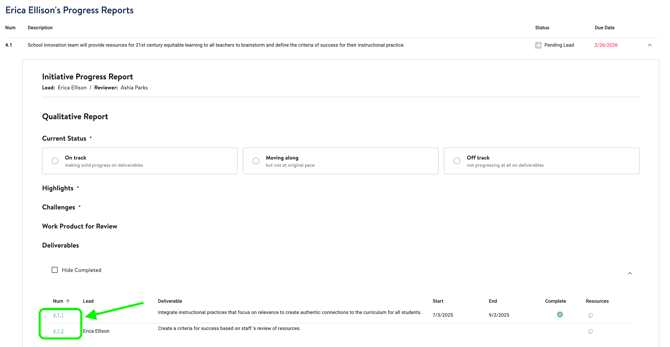
To more seamlessly edit and monitor progress reports in the tool, those with access to review progress towards deliverables can now navigate more easily between progress reports and the deliverable itself within the strategic plan.
Users can view progress reports and expand them to see deliverable links that will take them directly to the strategic plan.
May 2025
Introducing: Implementation Measures
We have eliminated Initiative Measures and replaced them with "Implementation Measures". Based on feedback, it was difficult to differentiate between priority and initiative level measures. The three-level measures hierarchy (mission, priority, and initiative) was too complicated. Implementation measures simplifies the model, while helping teams assess the health and fidelity of implementation of the strategic plan.
Mission measures will be unchanged, and Implementation Measures are essentially Strategic Priority measures with one enhancement - tagging - that allows Progress Monitoring to continue to function. That being said, all previous strategic priority and initiative measures have been kept and are now associated with the implementation measures through tagging (see below!). Progress monitoring will still work as it had before this update.
In the Measures section of the Strategic Plan, you will now only see Mission measures at the top of the page, followed by the new Implementation Measures header.
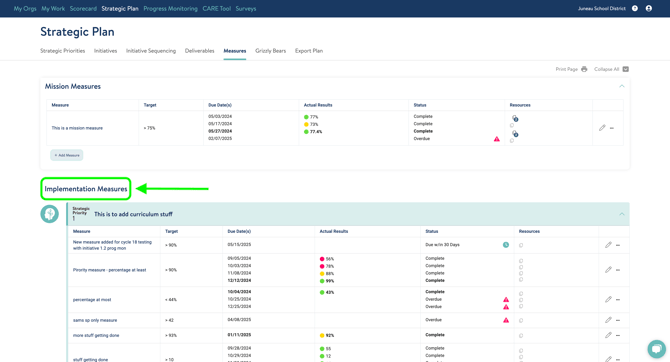
To add new implementation measures, you can click the "Add measure" button below each Strategic Priority section.
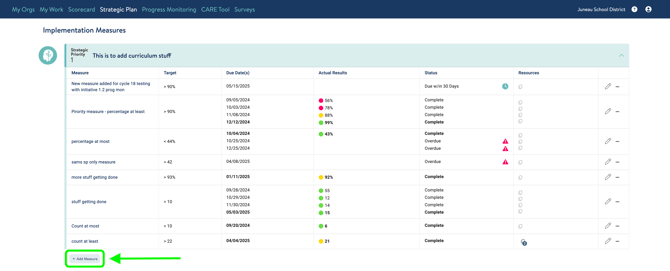
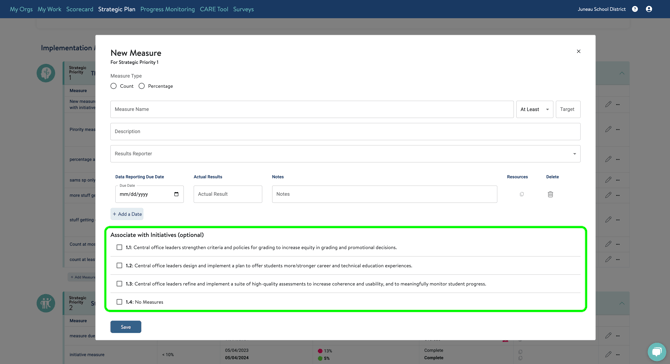
This will bring you to the pop up window to fill in the details. There is also now the option of tagging the measure to an initiative, which correlates to the content on the Initiatives tab.
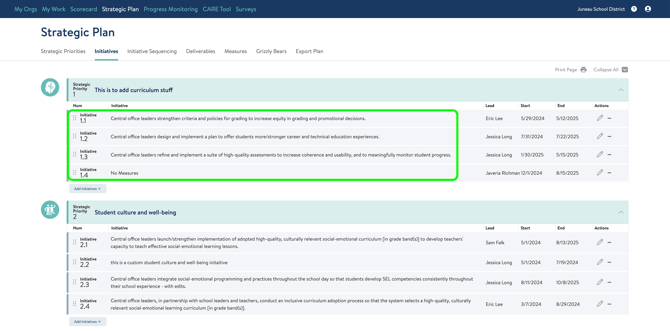
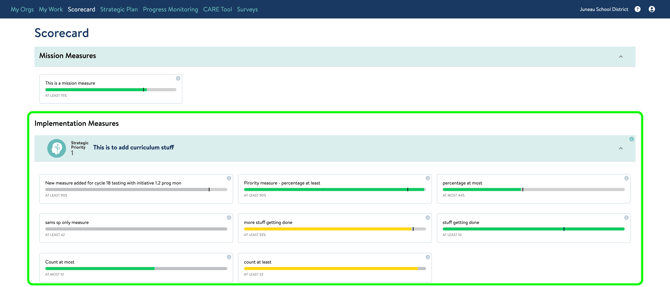
We have also updated the Scorecard tab to display the new implementation measures.
If you have questions about any of these updates or need further support, reach out to us! Send us a chat or email us at support@attunedpartners.com.