
- Log into the Attuned platform here with your email and password:
https://app.attunedpartners.com.
- If you forget your password, use our "Forgot Your Password?" option on the log in page to reset your password.
- Once you've logged in, make sure you are in the Spark tab under Data Analysis.
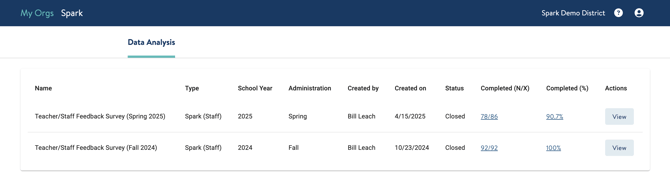
- To view your Spark survey data, click the View button next to the survey you'd like to analyze.
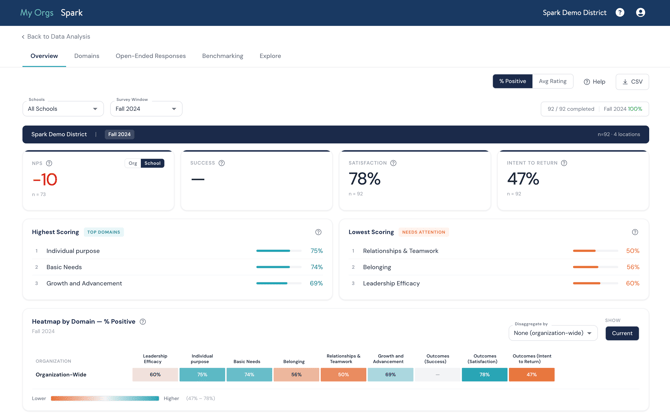
- You'll now see the survey data in your Spark dashboard. There is a lot to unpack! To learn more about how to navigate the sections of the dashboard, check out our help guide here.
If you need support accessing your dashboard to navigating the different sections, reach out to us at support@attunedpartners.com.